Alerting software for companies
Alert the right teams. Know who can respond.
NICA connects alerts, responses and communication – so you can coordinate the next steps during an incident.
The challenge
Sending an alert is only the start of a coordinated response.
Who has been informed? Who is available? Which instructions apply? Scattered responses make it harder to see the full picture.
How NICA helps
From an alert to a coordinated response.
Alert the right people
Select the scenario and responsible group.
See who is available
Review responses from your team.
Coordinate the next steps
Share information and instructions.
To: IT team
Example: IT incident
The next step needs an available team.
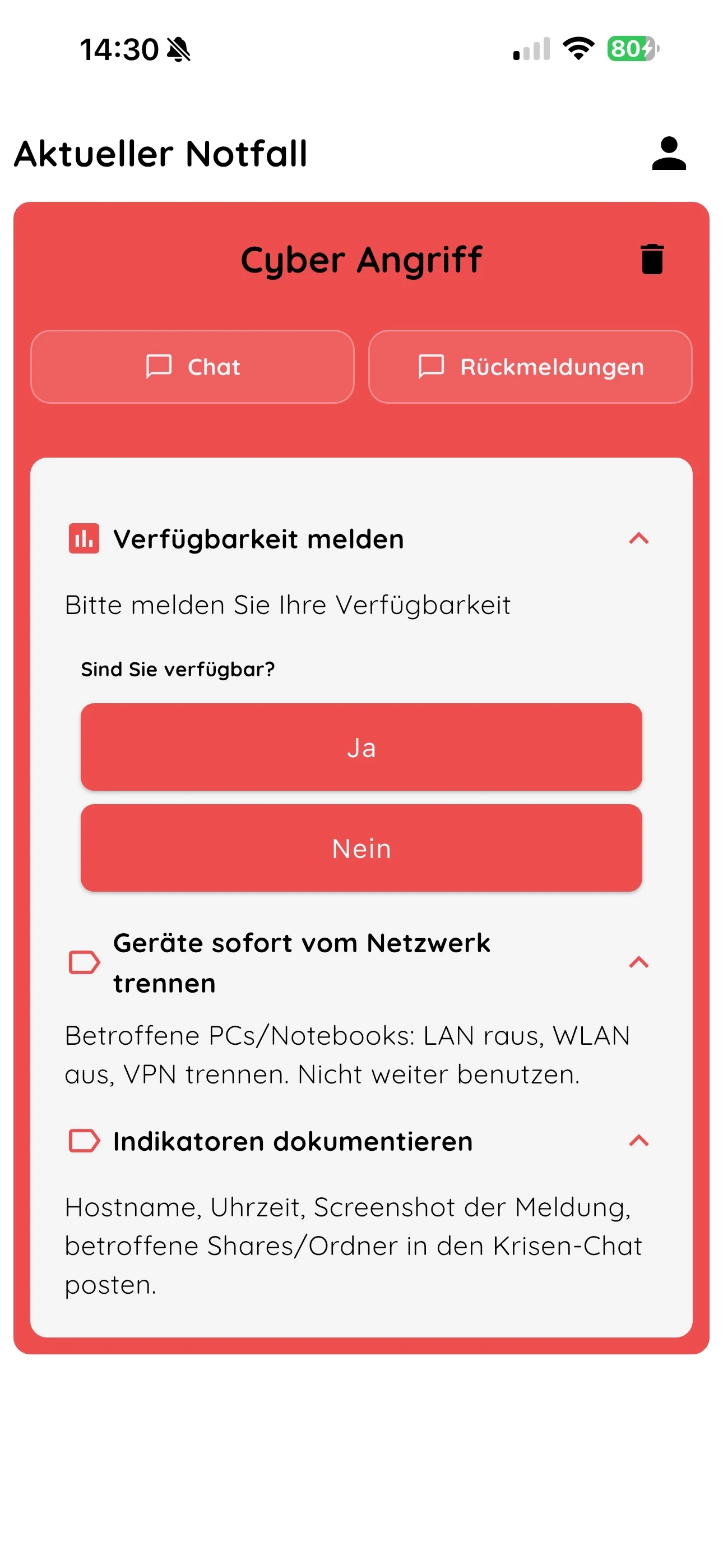
You alert the IT team. Staff report their availability. Those in charge review responses and coordinate what happens next.
- Alert the IT team
Select a scenario and send an alert.
- Report availability
Staff respond in the app or on the web.
- Coordinate the next steps
Review responses and share information with the team.
An internet connection is required. Critical alerts require the appropriate device settings.
Pricing
Try the workflow with your team.
Try it for 14 days
from €49 / month
Excl. VAT · 12-month term
No credit card required for the trial.
Optional: trigger alerts by email – €228 / year excl. VAT
What to know before you start.
What responses will we receive?
Which devices are supported?
Is an internet connection required?
How do we start the trial?
Contact
How do you alert your team today?
Tell us about your use case. We will show you how alerts and responses work together in NICA.