Inside the NICA alarm app · Example view · Product views shown in German
iOS & AndroidWeb administrationHosted in Germany
Companies and organisations that trust NICA
01 / Alerting
From your smartphone to the right team.
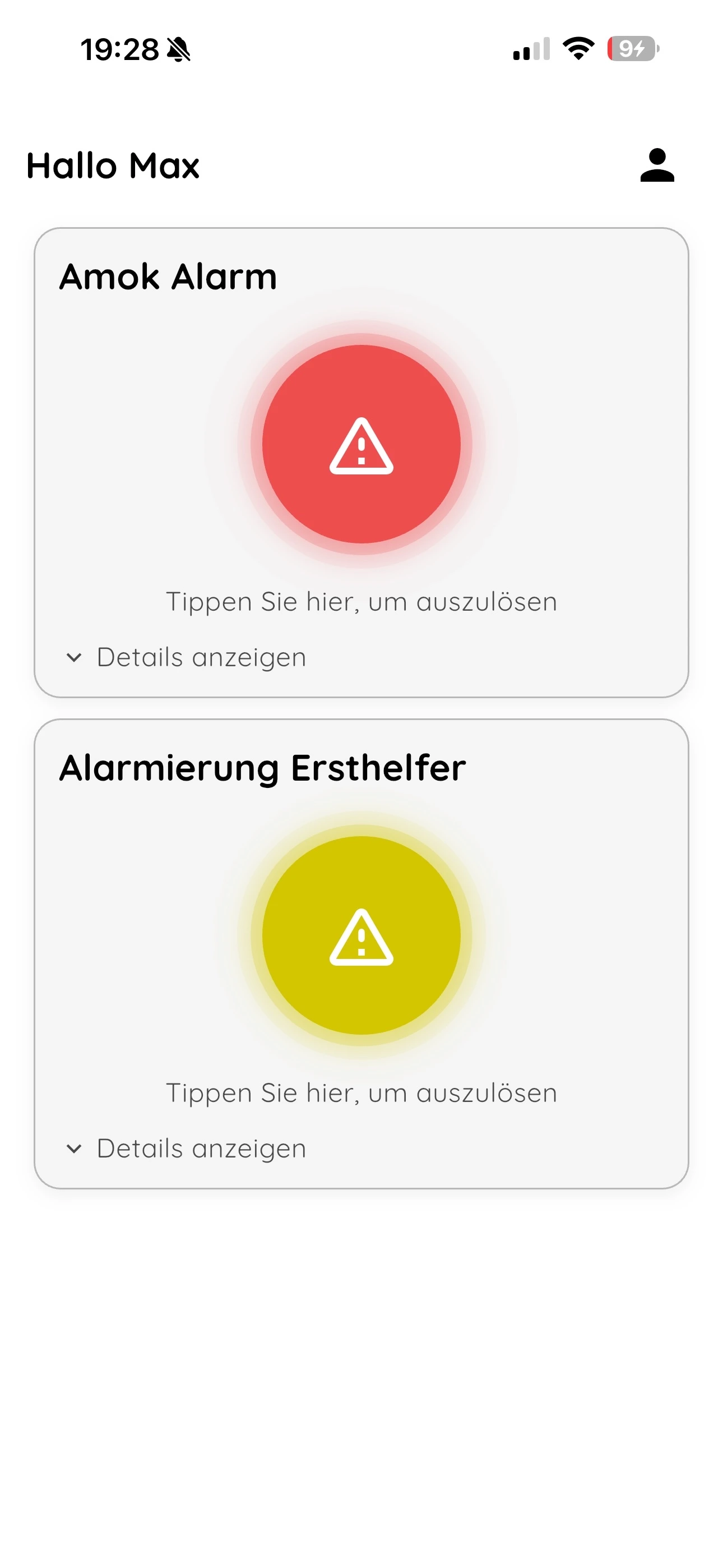
In an emergency situation, every second counts. The NICA Alarm App for schools enables alerting with just one click. A short countdown can help protect against false alarms – without unnecessarily slowing down the process.
No menus and searching – the most important alarm is right under your finger.
Can prevent false alarms in everyday situations without slowing down the process.
Reduced UI that remains quick and safe to operate even under stress.
Same look and feel on iOS and Android for consistency.
Inside the NICA alarm app · Example view · Product views shown in German
02 / Responsibilities
Each role sees what matters to them.
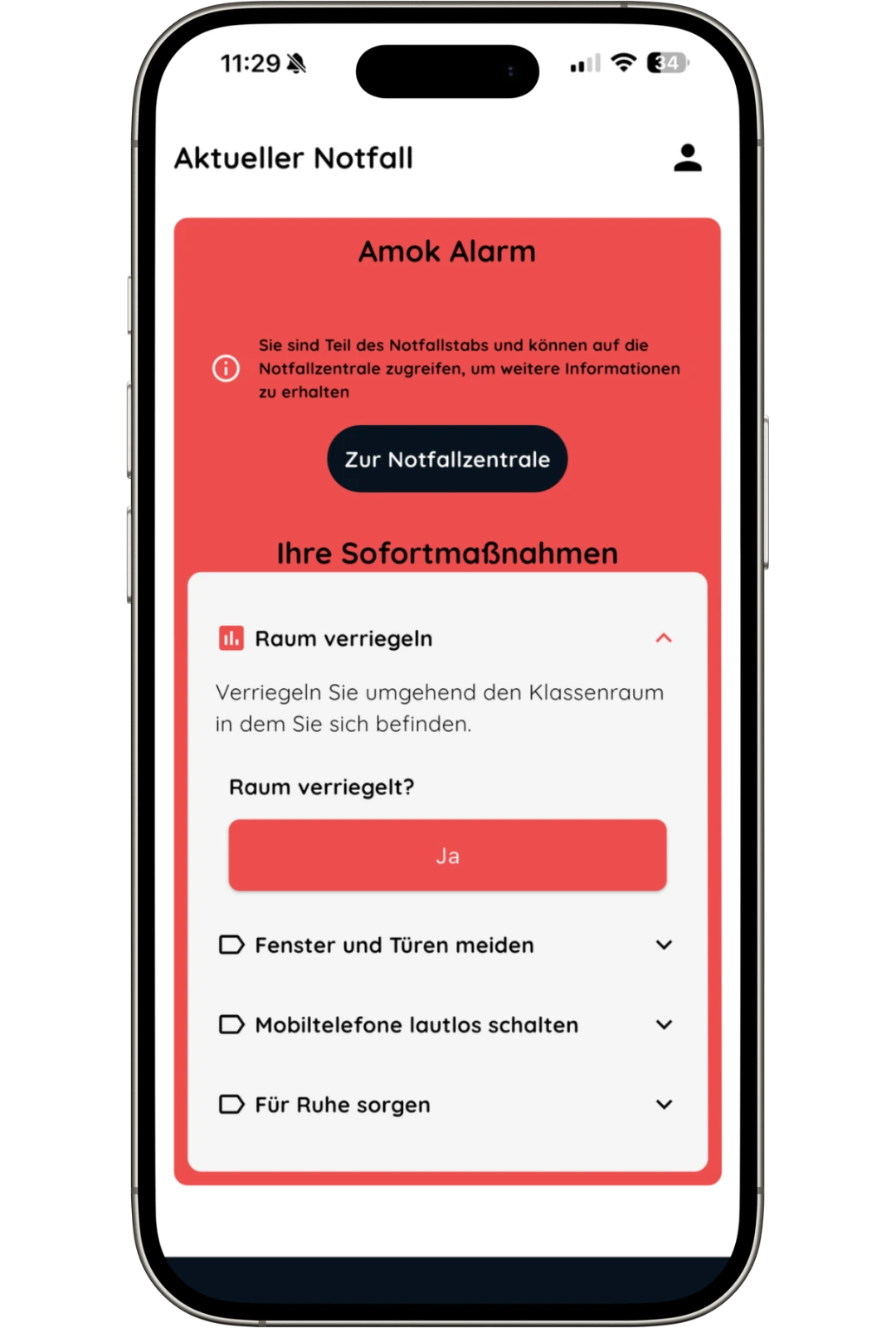
Not every person needs the same information. With NICA, teachers, administration, and other roles only receive the tasks that are relevant to them – clear, structured, and without distraction.
Each person only sees the steps they are responsible for in an emergency.
Instead of lengthy checklists: few, clear tasks per role.
Fire alarm, active shooter, or medical emergencies – tasks remain clear and manageable.
Clear and comprehensible instructions, tailored to the role of the staff.
Inside the NICA alarm app · Example view · Product views shown in German
03 / Communication
Resolve questions. Share information.
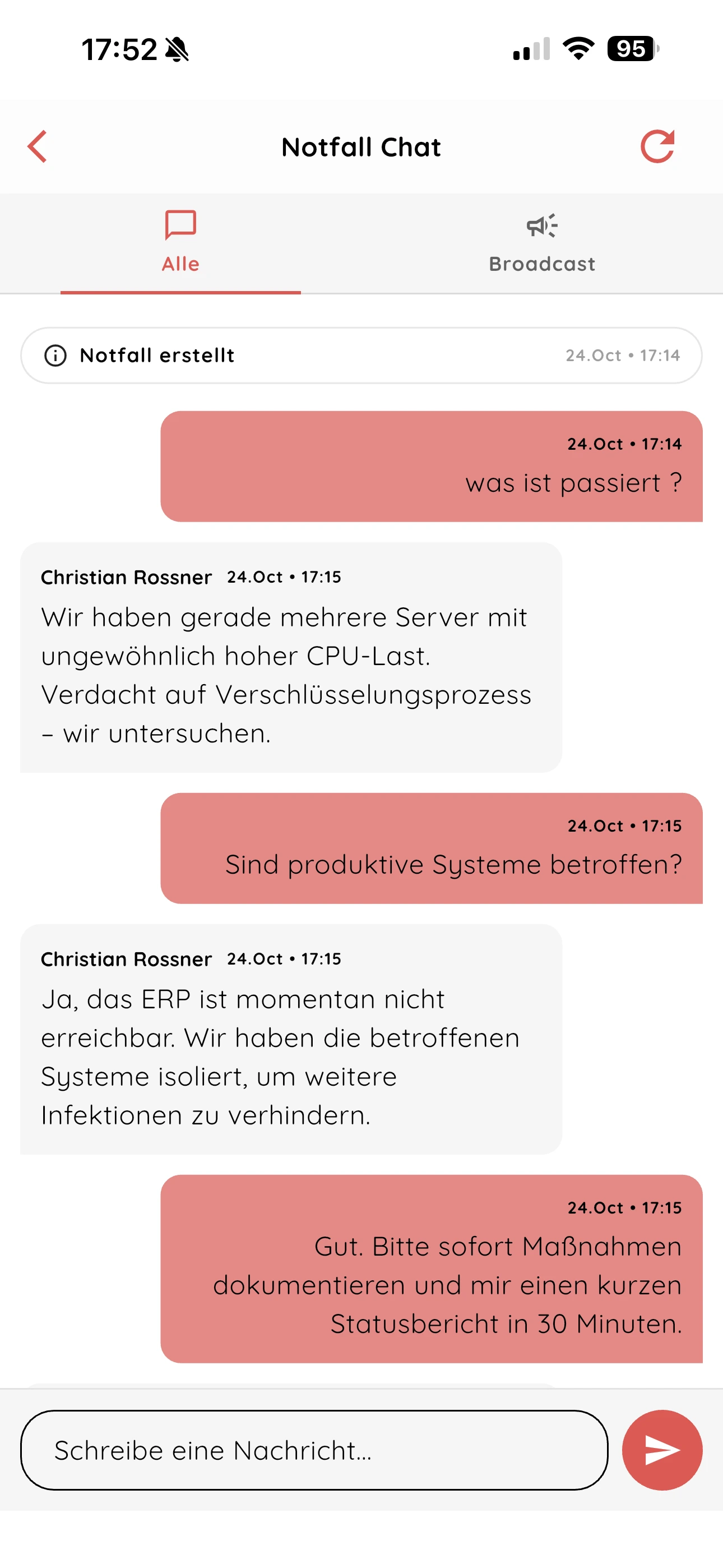
Our emergency chat enables quick inquiries and coordination. Through broadcasts, school management or crisis teams can send time-critical situation updates to all alerted individuals.
Quick clarification of uncertainties directly during the ongoing emergency.
Situation updates come centrally from school management or crisis team.
Parties stay on the same page – even in dynamic situations.
All messages remain traceably documented in the system.
Inside the NICA alarm app · Example view · Product views shown in German
04 / Responses
See who has responded and who needs help.
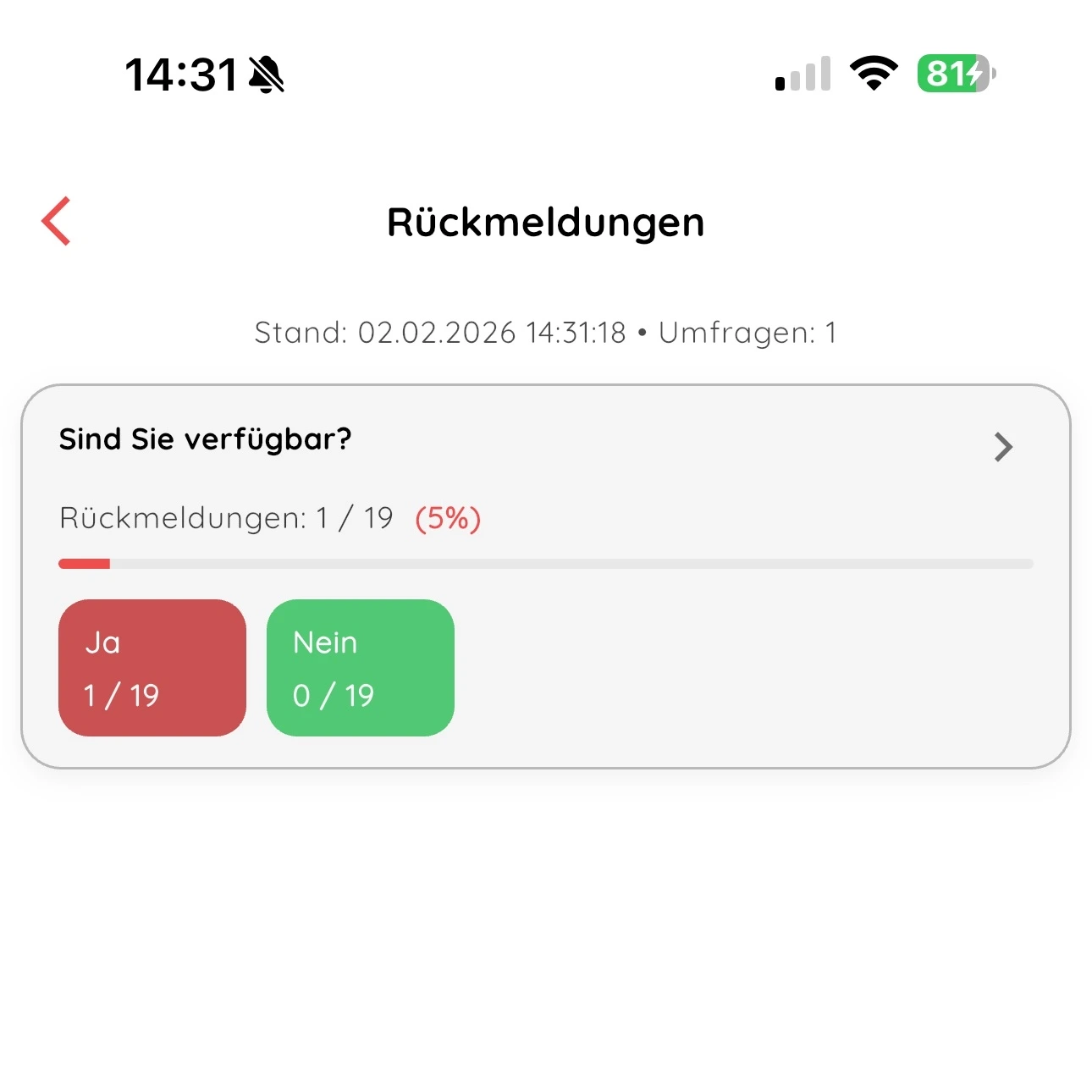
With the NICA Alarm App for schools, you receive immediate feedback from the alerted persons. This way, you know exactly who has responded and if anyone needs support.
With a question, you can immediately see which classes have already arrived at the assembly point.
For example, query available first responders or staff nearby.
Responses are made directly in the app – without notes, calls, or phone chains.
Results are immediately evaluated and displayed centrally in the web interface.
Inside the NICA alarm app · Example view · Product views shown in German
05 / Preparation
Your scenarios. Your procedures.
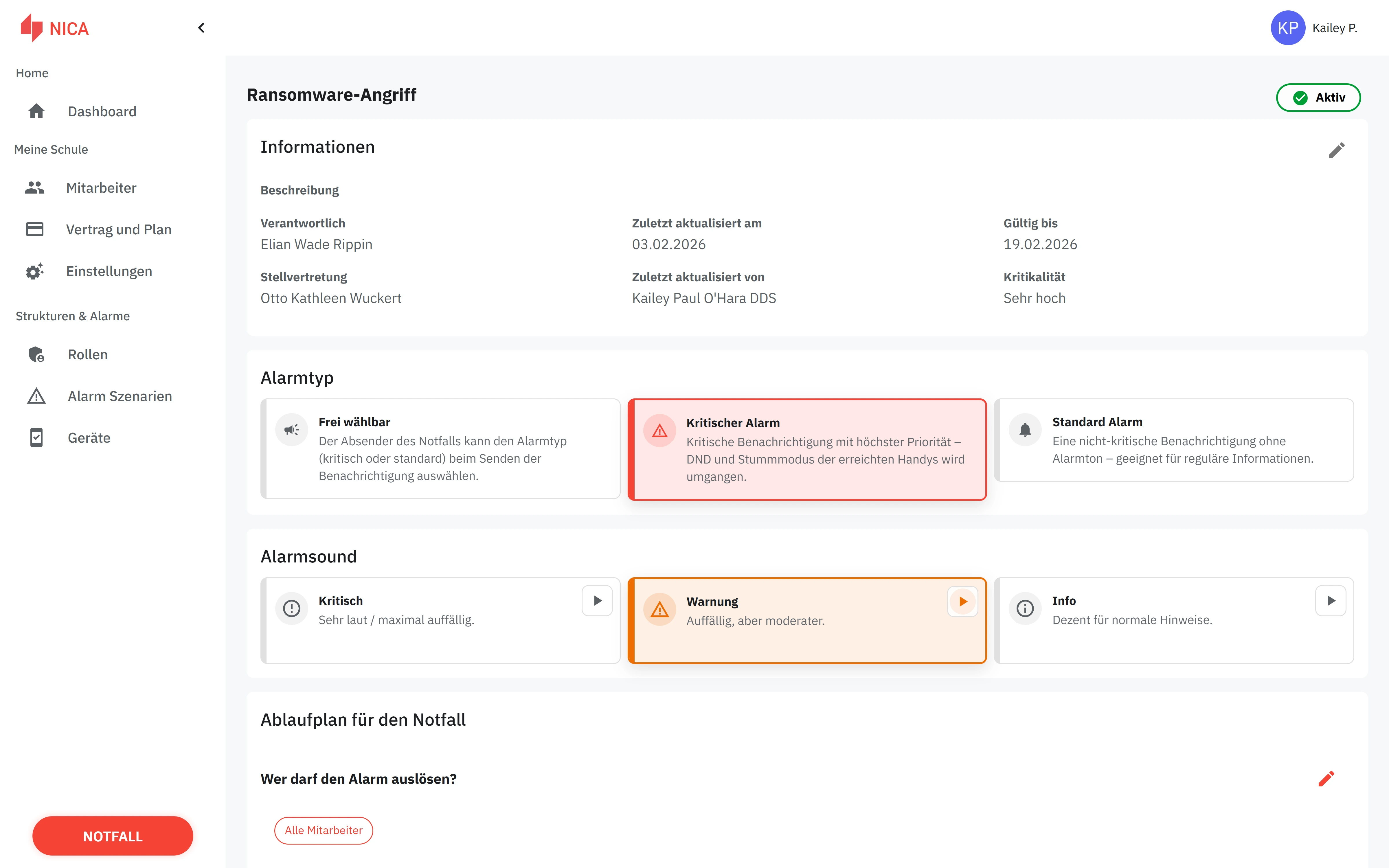
Every school works differently. With NICA, you define individual alarm scenarios – including triggers, roles, alarm types, checklists, and instructions. This way, the app digitally maps real processes 1:1.
Create your own scenarios – e.g., active shooter, fire alarm, evacuation, or medical emergencies.
Distinguish between critical alarms with penetration tone and normal messages.
Specify which roles and groups of people are informed in each scenario.
Store specific tasks and checklists that are displayed step by step in the app.
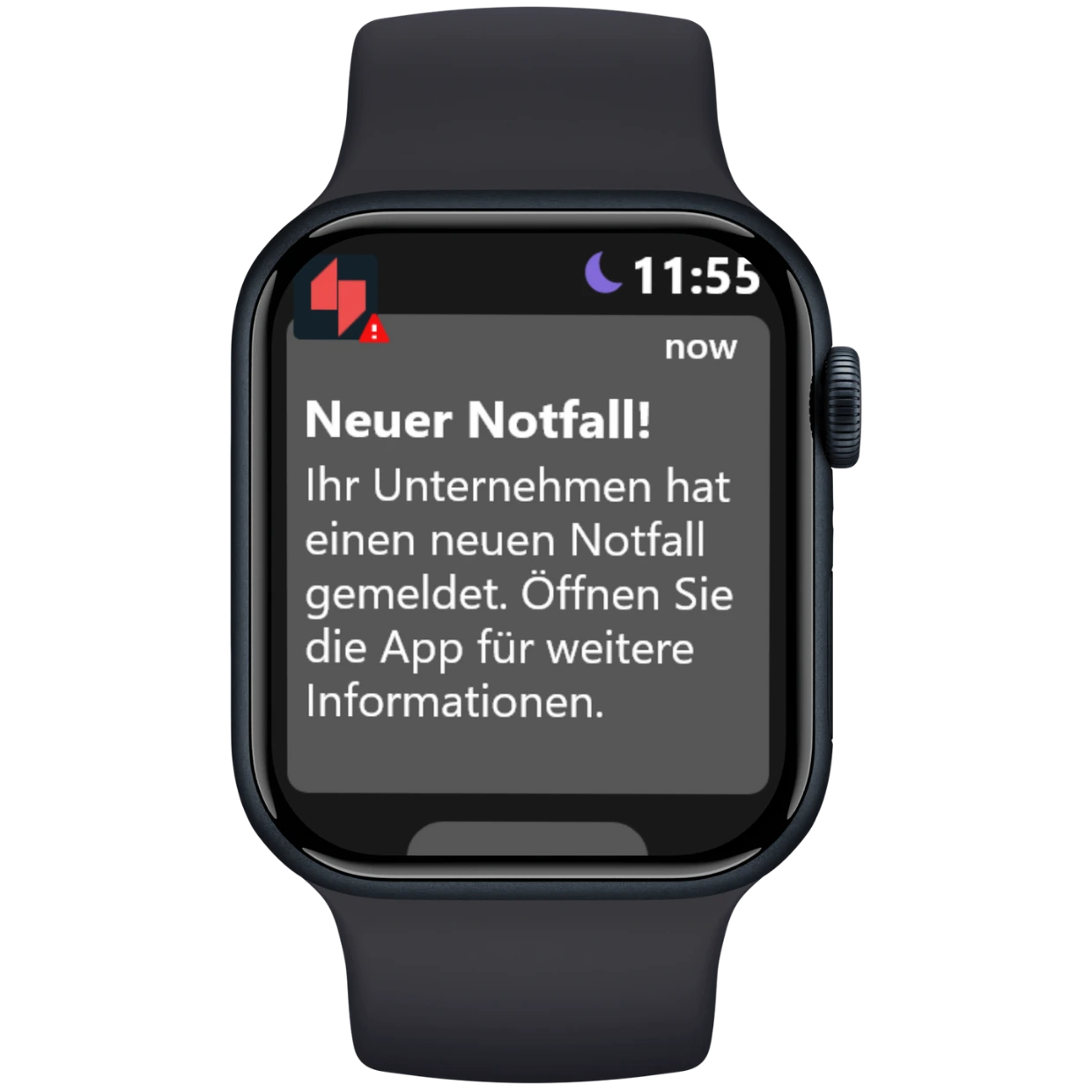
In acute emergencies the alert can override silent and “Do not disturb” mode on iOS and Android, provided critical alerts are enabled on the device — so critical messages can arrive in time.
Internet connection required. Critical alerts require appropriate permissions and device settings.
Internet connection required. Critical alerts require appropriate permissions and device settings.
Normal Alarm
Respects silent/DND – ideal for less urgent messages or routine information.
Critical Alarm
Played loudly – can override silent/DND mode if critical alerts are enabled on the device. For active shooter, fire, or medical emergencies.
Freely selectable
Users can decide for each alarm whether it is played loudly or silently.
Relevant information for every role
Practical example: In the same active shooter alarm, teachers and the secretary each receive appropriate instructions on their phones.
TeachersSchool leadershipFirst aiders
FAQ
Know more before you decide.
How does the Nica alerting app for schools work?
The Nica alerting app enables schools to quickly and purposefully alert in emergencies such as active shooter situations, fires, or medical incidents. The app distributes alerts via push notifications and email to predefined groups such as teachers, school management, or first responders – at the push of a button. Additional SMS alerting is planned as an extension.
Which scenarios can the alerting app cover?
The app supports various scenarios such as active shooter situations, fires, medical emergencies, evacuations, or technical malfunctions. Depending on the incident, the right groups are automatically informed – without detours. The app is flexibly customizable and can be tailored to the individual needs of each school.
How quickly does the alerting occur in an emergency?
The alert is sent to all registered devices immediately after triggering. Additional SMS alerting is planned as an extension.
Which types of schools is the Nica alerting app suitable for?
The app is suitable for all types of schools – from small elementary schools to large high schools and vocational schools.
How complex is the implementation of the app at our school?
The implementation is straightforward. The app is ready to use and does not require complex IT infrastructure. Our experts will assist you with setup and training – you can usually test the first scenario directly after user creation. The app is designed to work without elaborate hardware or installation.
What does the alerting app for schools cost?
The annual price depends on your number of users. On our pricing page, you can calculate costs using the applicable pricing tiers. We provide individual quotes for larger groups or specific requirements. Open the price calculator
Is there a free trial or live demo available?
Yes, you can test the Nica alerting app free of charge for 14 days or request an individual live demo. This way, you can get to know the features without any risk before making a decision.
Can the alerting app also be integrated into crisis management?
Yes, the app is part of the Nica CyberSuite and can be combined with modules such as emergency management, awareness training, and policy management. This creates a holistic security concept for your educational institution. Please feel free to contact us to learn more about integrating it into your existing crisis management.
Contact
How do you alert your staff today?
Tell us about your requirements. We will show you how alerts, responses and communication can work together at your school.










 AI-generated image