Critical information directly on your responders' smartphones — without extra devices, with clear messages and fast feedback.
Always with you & ready
Runs on existing smartphones — no pagers or special devices. Reachable on the go or from home.
Alarms that stand out
A clear signal with sound and prominent display — critical alerts stand out immediately.
Respond instantly — from your pocket
Acknowledge alerts, report availability, read instructions — all directly in the app.
The app in action
From the first alert to a coordinated response.
01Alerting
Alert the right people.
Predefined alert buttons for key scenarios such as evacuation, fire or medical emergencies.
One tap automatically informs the right roles, locations and on-call teams.
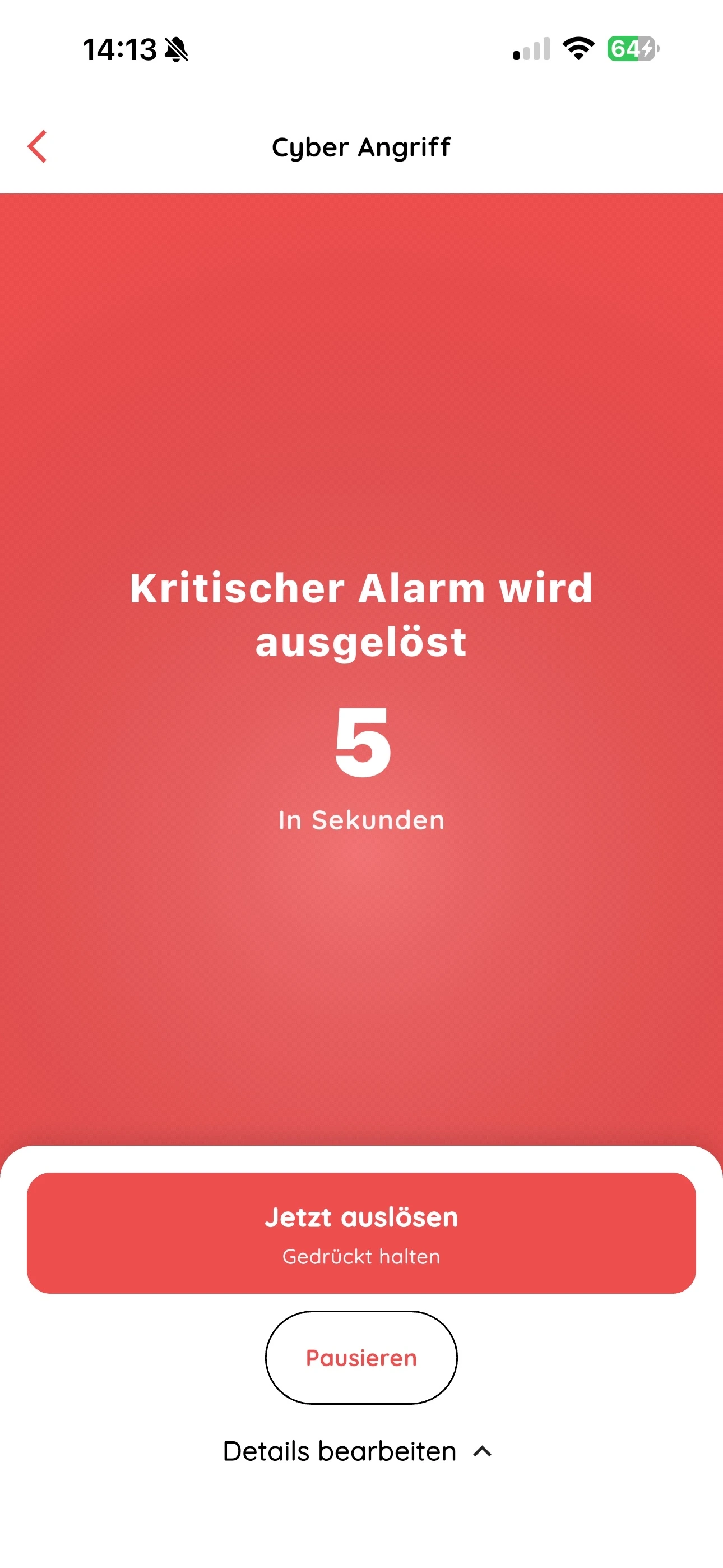
Optional short countdown reduces false alarms without slowing the process.
Texts, recipient groups and alert types are centrally configurable — the app stays maximally simple.
Original NICA Alarm App view · Example scenario in German
02Alert reception
Understand the incident. Respond with purpose.
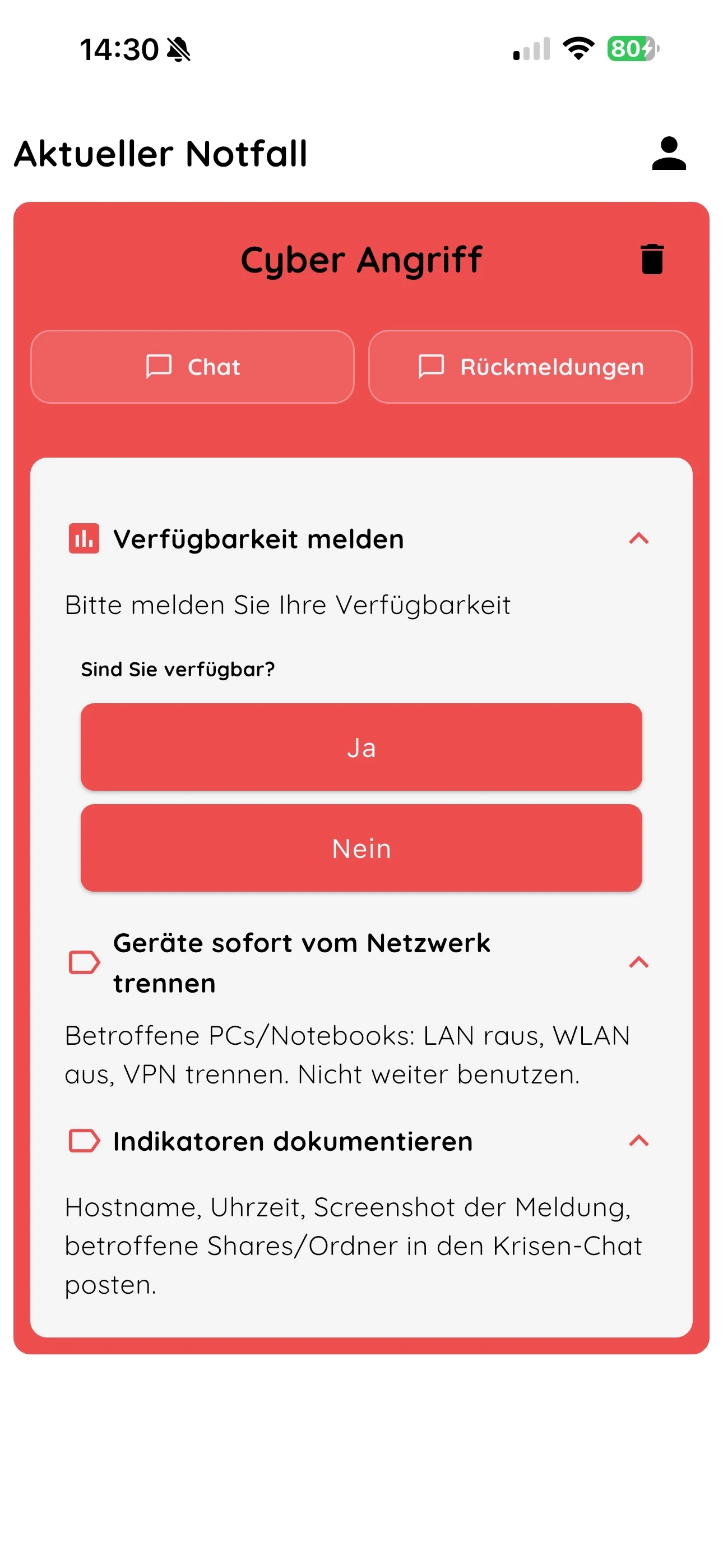
Clear alert display with colour, title and plain-text description of the incident.
Custom feedback buttons for quick responses like “On my way”, “Delayed” or “Cannot respond”.
Role-based instructions: each person only sees what's relevant to them.
Reduced, intuitive interface for smooth collaboration in emergencies.
Original NICA Alarm App view · Example scenario in German
03Responses
Know who is available.
Custom response buttons per scenario — e.g. “On my way”, “Delayed”, “Cannot respond”.
Configurable follow-up questions such as “Are you safe?” or “When can you be on site?”.
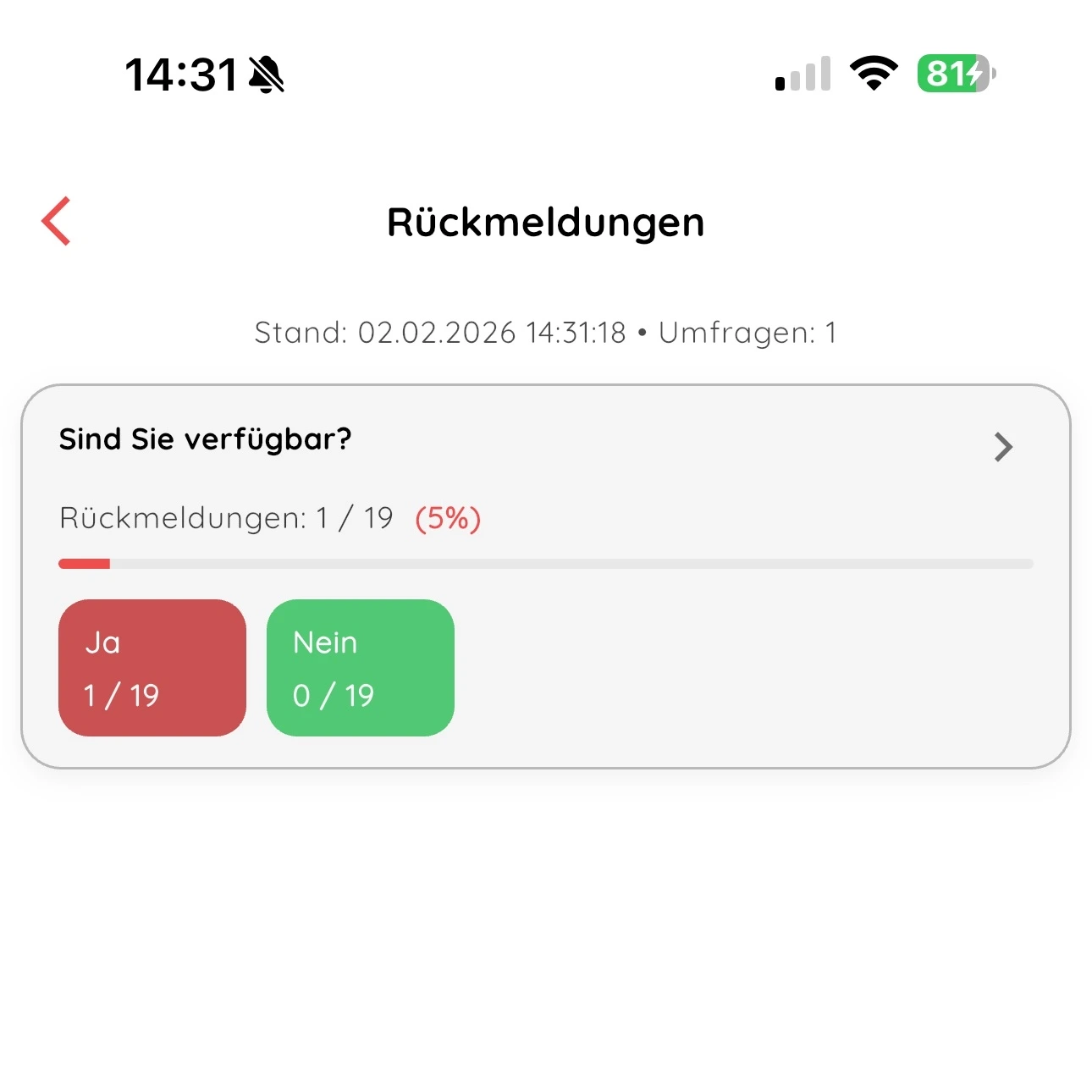
Responses are counted, visualised and continuously updated in real time.
Simple, stress-resistant interface for collaboration in crises.
Original NICA Alarm App view · Example scenario in German
04Collaboration
Share information. Act together.
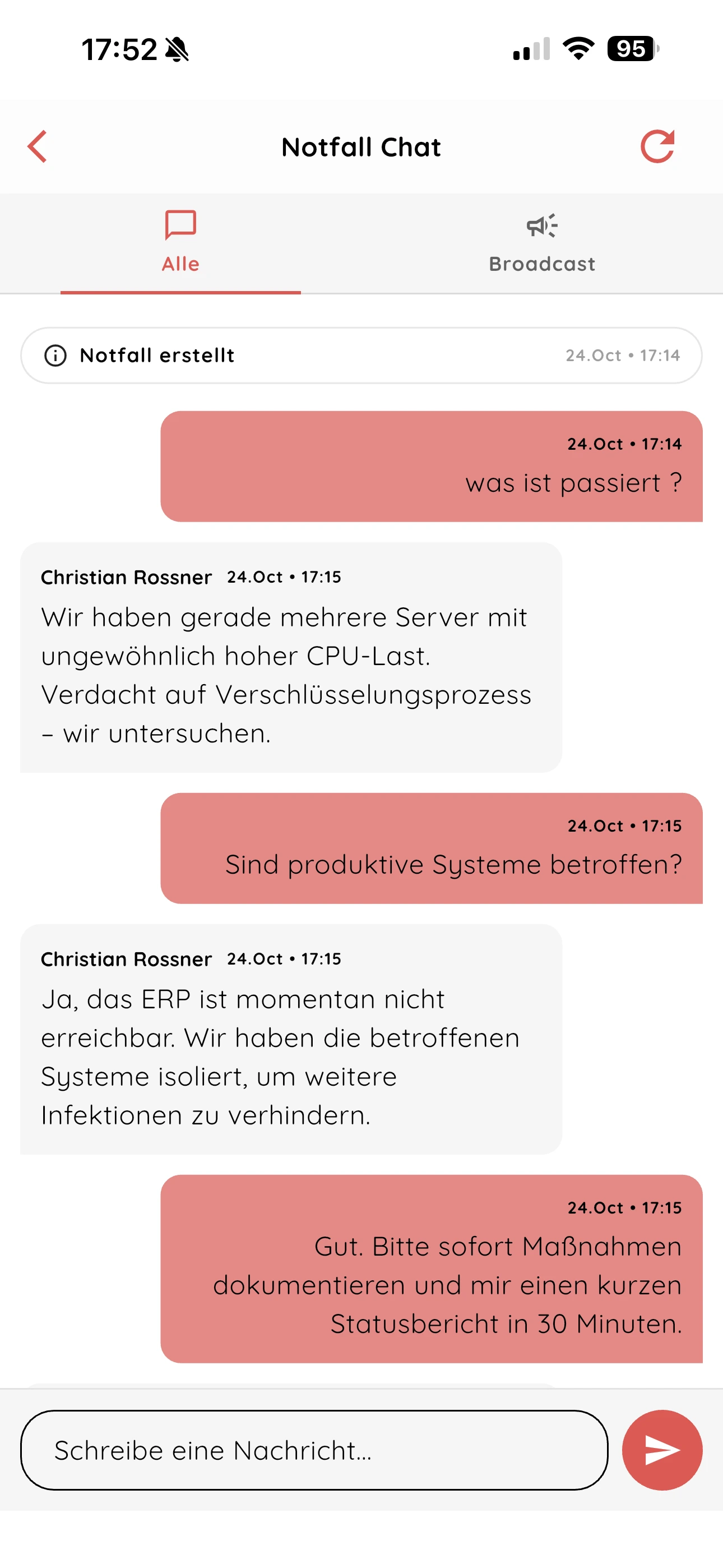
Emergency chat for structured communication during an alert — with time-stamped messages.
Moderated broadcasts to share critical information without distractions.
Role-based contact directory with emergency roles, crisis teams and departments.
Meeting links to Teams, Zoom & others stored in the alert — join with one click.
Original NICA Alarm App view · Example scenario in German
Use cases
Use cases for organisations & companies
Fast, targeted alerting across different emergency and disruption scenarios — from medical incidents to coordinated crisis management.
Alert workplace first aiders
In medical emergencies, designated first aiders can be notified immediately — including precise location info.
Cyber alert / IT incident
Ransomware, data breach or outage: the responsible team is alerted on mobile directly — for a coordinated response.
Building evacuation
People in the affected area can receive clear instructions for an orderly evacuation and assembly points.
Threat situation
Discreet alerting with clear protection and behaviour instructions, aligned with your security policies.
Alert the crisis team
Crisis team, leadership or management are informed simultaneously — for centralized situation management.
On-call & standby
On-call teams are alerted automatically by defined rules — including response options and action instructions.
Critical alerts
Critical alerts. Configured with care.
Critical alerts depend on the appropriate permissions and device settings to override silent or Do Not Disturb modes. Check these during setup and testing.
An internet connection is required. Critical alerts require the appropriate device settings.
Optional: trigger alerts by email – €228 / year excl. VAT
FAQ
What to know before you start.
What responses will we receive?
Staff can report their availability and answer questions configured for a scenario. Those in charge can review responses and share information in the emergency chat.
Which devices are supported?
The alerting app is available for iOS and Android. You can also manage scenarios, groups and responses in the web application.
Is an internet connection required?
Yes. Alerts, responses and crisis communication require an internet connection. Critical alerts also require the appropriate permissions and device settings.
How do we start the trial?
Select “Trial access” in the form and send your request. You can try the software free for 14 days; no credit card is required.
Contact
How do you alert your team today?
Tell us about your use case. We will show you how alerts and responses work together in NICA.
Personal demo
Explore the features using your own use case.
Trial access
Try it with your team for 14 days. No credit card required.